CMDBsyncer
CMDBsyncer is a rule-based, modular synchronization hub for host and configuration data. It connects your source systems — CMDBs, asset management tools, APIs, CSV files — with your target systems like Checkmk, Netbox, or I-Doit, and keeps them in sync automatically.
Every connection to an external system is configured through an Account. Rules control what gets synchronized, how attributes are transformed, and which hosts are included.
Key Features
- Web Interface with login, 2FA, and user management — all configuration after installation is done in the UI
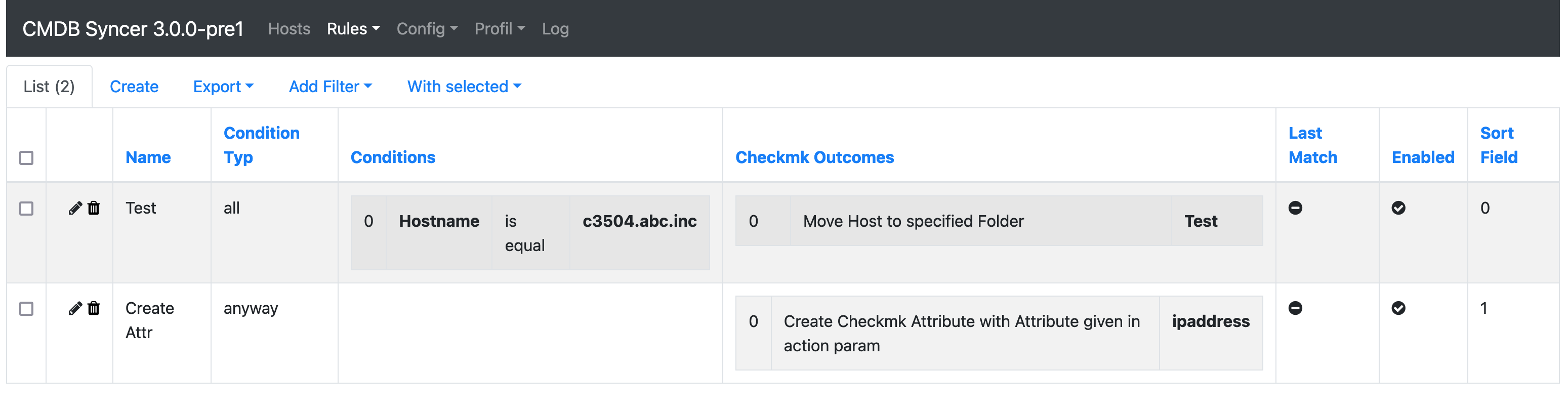
- Rule Engine to control synchronization based on host attributes, with rewrite, filter, and condition support
- Jinja support throughout rules and configuration fields
- Built-in CMDB mode for managing objects, hosts, and templates directly in CMDBsyncer
- Plugin API to integrate custom data sources with minimal code
- Cron management to schedule sync jobs from the UI
- REST API for external automation
- Ansible support as a dynamic inventory source
- Encryption of stored credentials
- Debug tooling via CLI and web-based debug views
- Monitoring integration via Checkmk Exchange check
How it Works
CMDBsyncer imports hosts and attributes from one or more sources, processes them through the rules engine, and exports the result to the configured targets. Sources and targets can overlap — a system like Checkmk or Netbox can be both.
Supported Integrations
Full-Featured Modules
| Module | Import | Export | Notes |
|---|---|---|---|
| Checkmk | ✓ | ✓ | Full host lifecycle, rules, tags, labels, groups, BI, DCD, agents, sites — tested with 140,000+ hosts |
| Netbox | ✓ | ✓ | Devices, VMs, interfaces, IPAM, contacts, sites |
| I-Doit | ✓ | ✓ | Template-based device sync |
| Ansible | — | ✓ | Dynamic inventory source, Checkmk agent and site management |
| CMDB Mode | ✓ | ✓ | Use CMDBsyncer itself as a lightweight CMDB |
Import Sources
| Module | Description |
|---|---|
| REST API / JSON | Import from any REST API or JSON file structure |
| CSV | Import hosts or enrich attributes from CSV files |
| LDAP | Import objects from LDAP directories |
| JDisc | Import devices from JDisc Discovery |
| Jira | Import objects from Jira (on-prem and cloud) |
| Cisco DNA | Import devices and interface information |
| BMC Remedy | Limited import from BMC Remedy |
| PRTG | Import objects from PRTG |
| VMware | Import and export attributes for VMware VMs |
| MySQL | Import and inventorize MySQL database tables |
| MSSQL / ODBC | Import from any ODBC-compatible database (FreeTDS, MSSQL, etc.) |