Inventorize from Checkmk
The Syncer can read data back from Checkmk and store it as inventory attributes on hosts. This includes Checkmk labels, service plugin output, service labels, and HW/SW inventory data.
Go to: Modules → Checkmk → Inventorize from Checkmk Settings
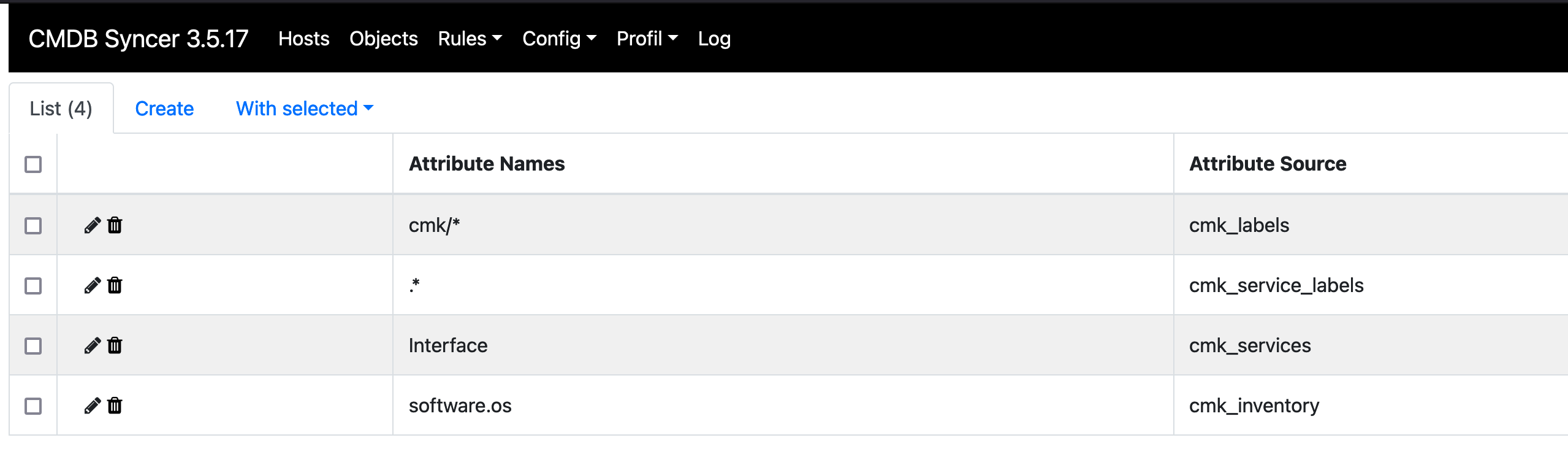
The default configuration already imports all Checkmk host labels. The screenshot below shows an example of inventorizing a service and accessing HW/SW inventory data:
Labels
Use a wildcard * to import all labels, or specify a pattern to filter:
cmk/*
This imports only labels whose key starts with cmk/.
Services
To import service data, specify the exact service name. For service labels, regex patterns are also supported.
HW/SW Inventory
Checkmk's HW/SW inventory tree is organized in a dot-notation path. Specify the path to the data you want to import.
Examples:
software.os— operating system informationnetwork.interfaces— network interface data
Finding the Correct Path
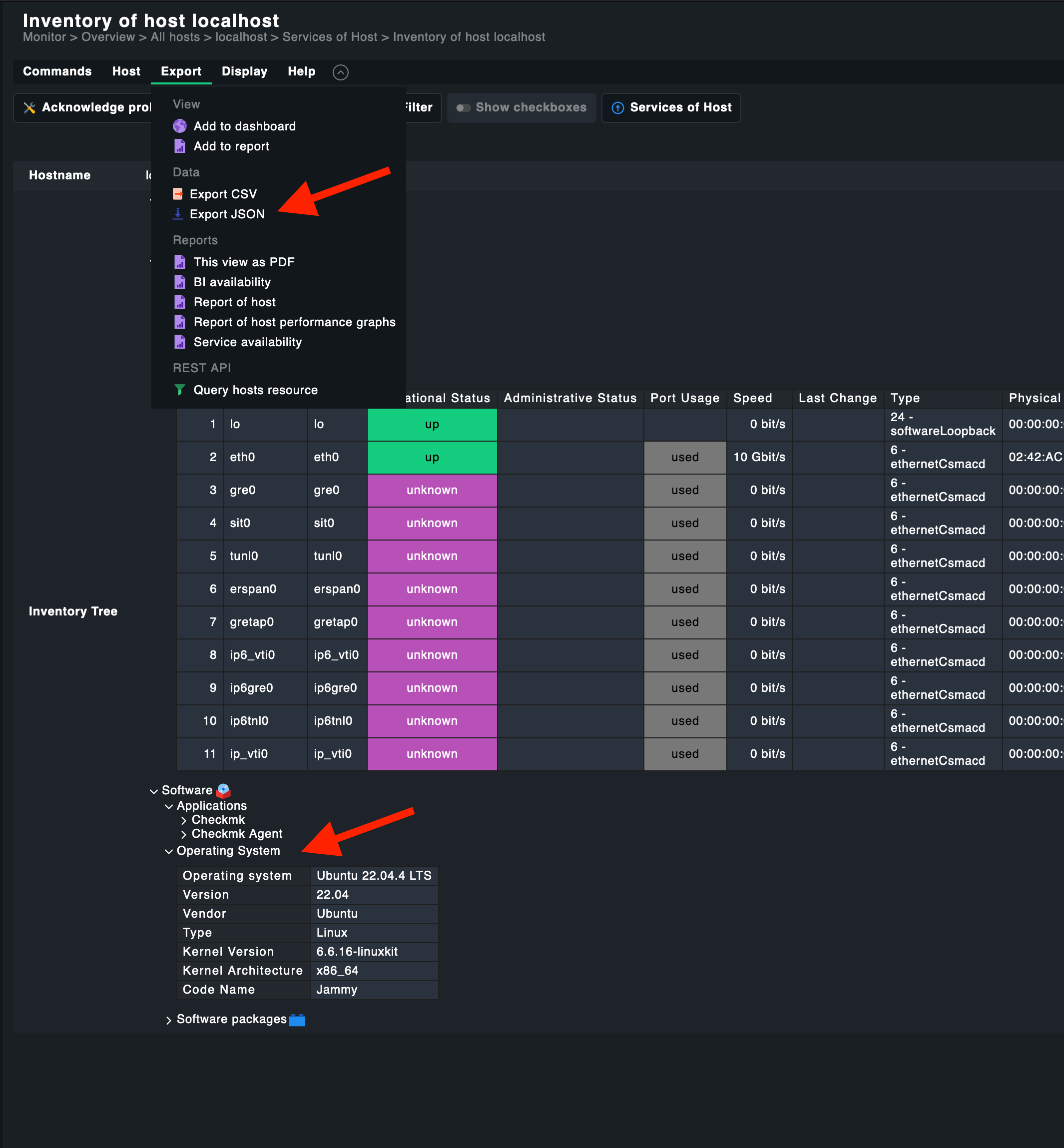
- In Checkmk, open the HW/SW inventory view for a host
-
Export the inventory as JSON
-
Find the keys in the JSON, for example
software→os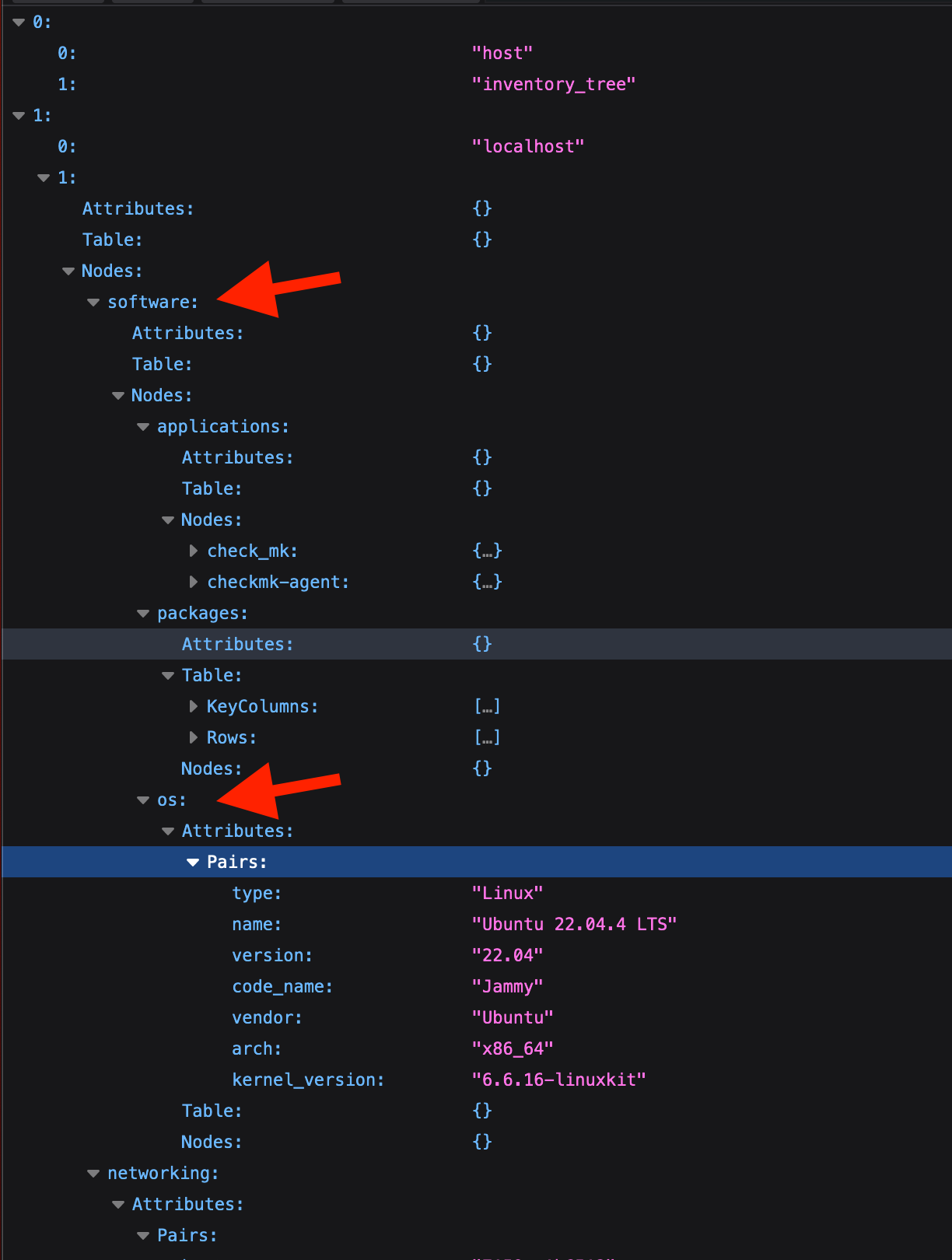
-
Combine them with a dot:
software.os
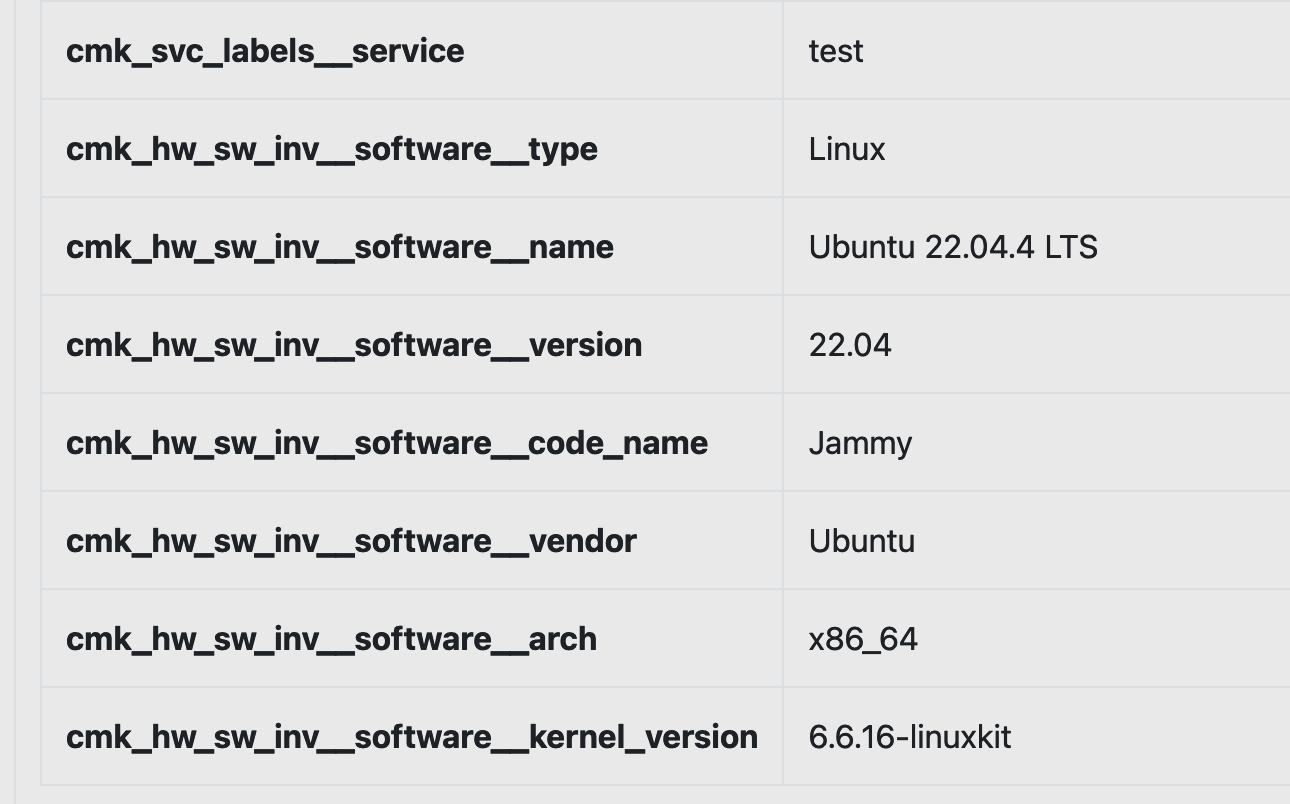
The inventorized data appears in the Syncer with the configured namespace prefix:
Command Line
./cmdbsyncer checkmk inventorize_hosts ACCOUNTNAME