Rule Conditions
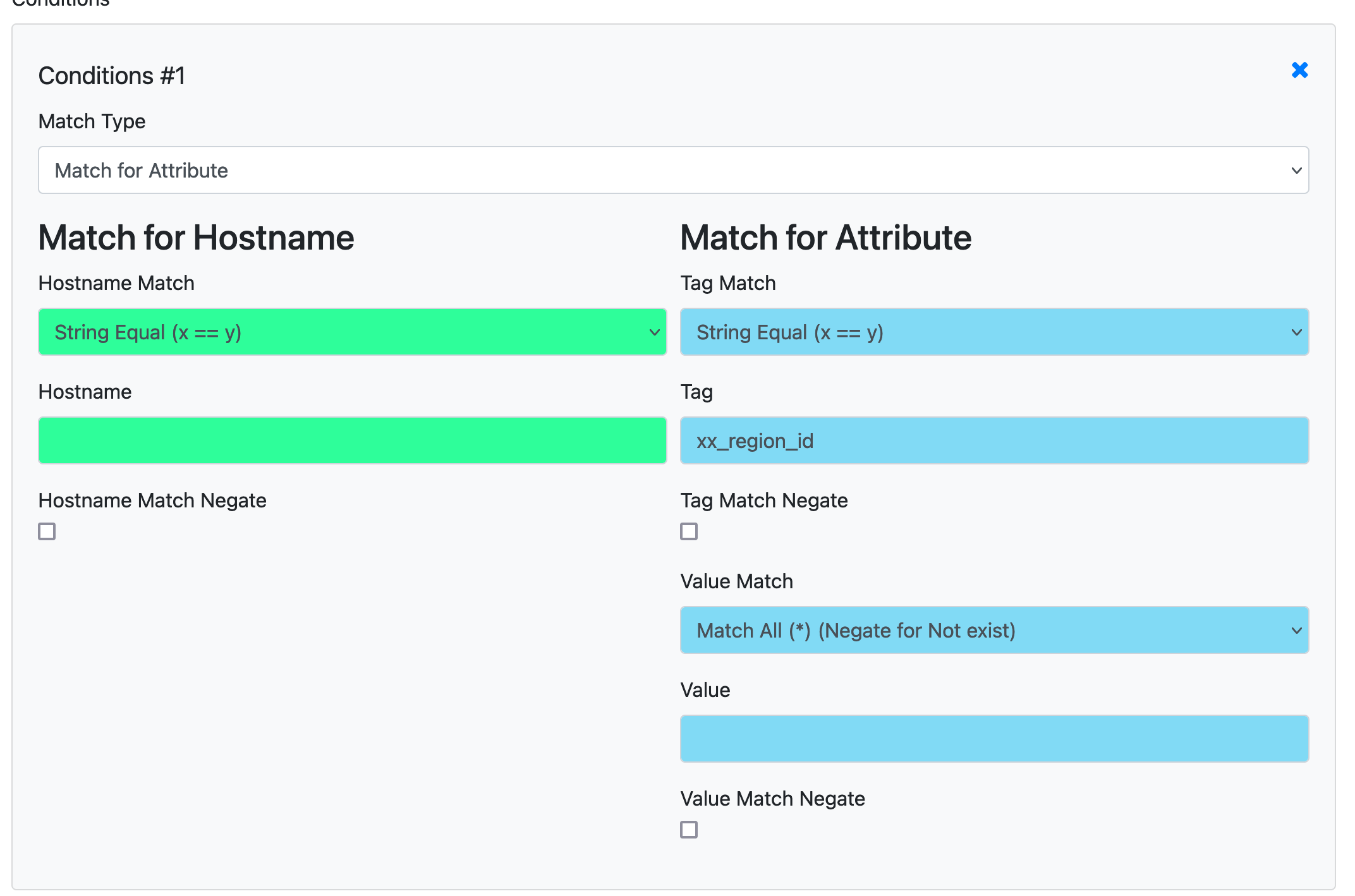
Every rule has a condition section that controls which hosts the rule applies to. You can match by hostname or by attribute, with a wide range of comparison operators.
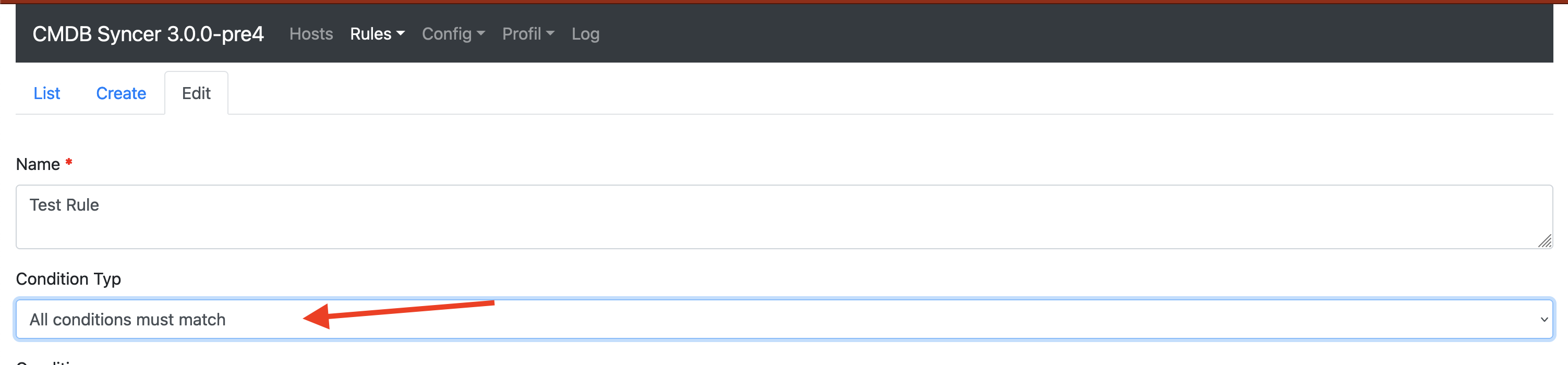
Set the condition mode at the top of the rule to control how multiple conditions are combined:
- ANY — one matching condition is enough for the rule to match
- ALL — every condition must match
- Anyway — the rule always matches, regardless of conditions
Condition Types
All string-based conditions are case-insensitive, except regex.
| Condition Type | Description | Case Sensitive |
|---|---|---|
equal |
Attribute exactly equals the given value | No |
in |
Given string is contained in the attribute value (works with strings and lists) | No |
not_in |
Given string is NOT contained in the attribute value (works with strings and lists) | No |
in_list |
Attribute value is found in your comma-separated list | No |
string_in_list |
Your string is found in the attribute's Python/comma-separated list | No |
swith |
Attribute starts with the given string | No |
ewith |
Attribute ends with the given string | No |
regex |
Attribute matches the given regular expression | Yes |
bool |
Attribute matches a boolean True/False value | — |
ignore |
Always matches (negate to check that attribute does not exist) | — |
Every condition can be negated with the corresponding negate checkbox, which inverts the match result.
Built-in Attributes
Besides the host's labels, inventory and custom attributes, every rule can match on these attributes, which the syncer provides automatically:
| Attribute | Description |
|---|---|
SOURCE_ACCOUNT |
Name of the account the host was imported from (empty for manually created hosts) |
They are also available in Jinja values, e.g. {{SOURCE_ACCOUNT}}.
Match FAQ
Limit a rule to the hosts of one import account
If you import from several accounts (e.g. one per object type) and need different rules per account, use SOURCE_ACCOUNT:
- Set Tag Match to
String Equaland Tag toSOURCE_ACCOUNT - Set Value Match to
String Equaland the value to the account name, e.g.jira-prod-vms
This works in every rule type, including export rules, so an export can be restricted to the hosts of a single import account without relying on hostname patterns.
Match if an attribute does NOT exist on a host
- Set Tag Match to
Match All (*) - Set Tag to the attribute name you want to check
- Enable the Tag Match Negate checkbox
- The value match does not matter
Match if an attribute is an empty string
Note
To prevent empty attributes from being imported at all, set LABELS_IMPORT_EMPTY=False in local_config.py.
- Set Tag Match to the attribute name
- Set Value Match to
String Equal - Leave the value field empty (that is the empty string)
Match a key in a dictionary
If an attribute contains a dictionary (e.g. {"status": "active", "env": "prod"}), you can match against a specific key using the in condition type.
The in condition checks whether your string is contained in the string representation of the attribute value. For structured data, use a Jinja rewrite rule first to extract the key into a flat attribute, then match against that.
Match using regex with capture groups
When using regex, you can reference the first matching value in rewrite rules via the special placeholder {{FIRST_MATCHING_VALUE}}. See Rewrite Attributes for details.
Use in_list vs string_in_list
These two types are often confused:
in_list: Your rule provides the list. The host attribute is checked against whether it appears in your list. Example: host hasos=windows, your list iswindows,linux,macos→ matches.string_in_list: The host attribute is the list. Your rule provides the string to look for inside it. Example: host hasservices=dns,dhcp,ntp, your string isdns→ matches.