Multiple HTTP Checks per Host
This example shows how to add multiple HTTP and certificate checks for hosts that have more than one IP address — one rule per IP column.
What You Need
- A data source with multiple IP columns (CSV works well for this)
- One Syncer rule per IP address column
- Example rules in Checkmk to copy the API value from
Step 1: The Data Source
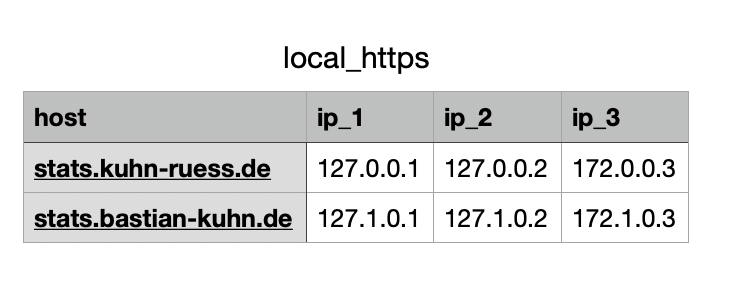
Create a CSV with one column per IP address:
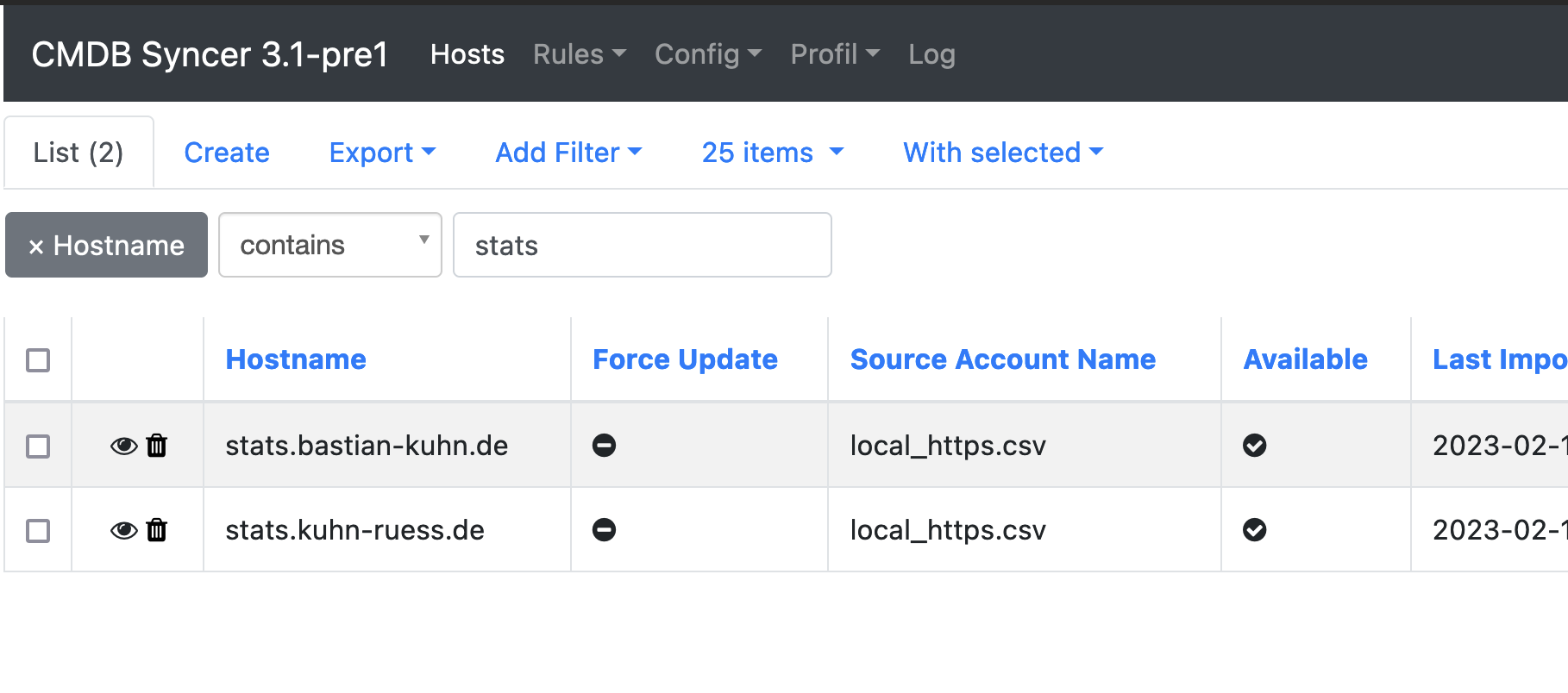
Import it as the main source:

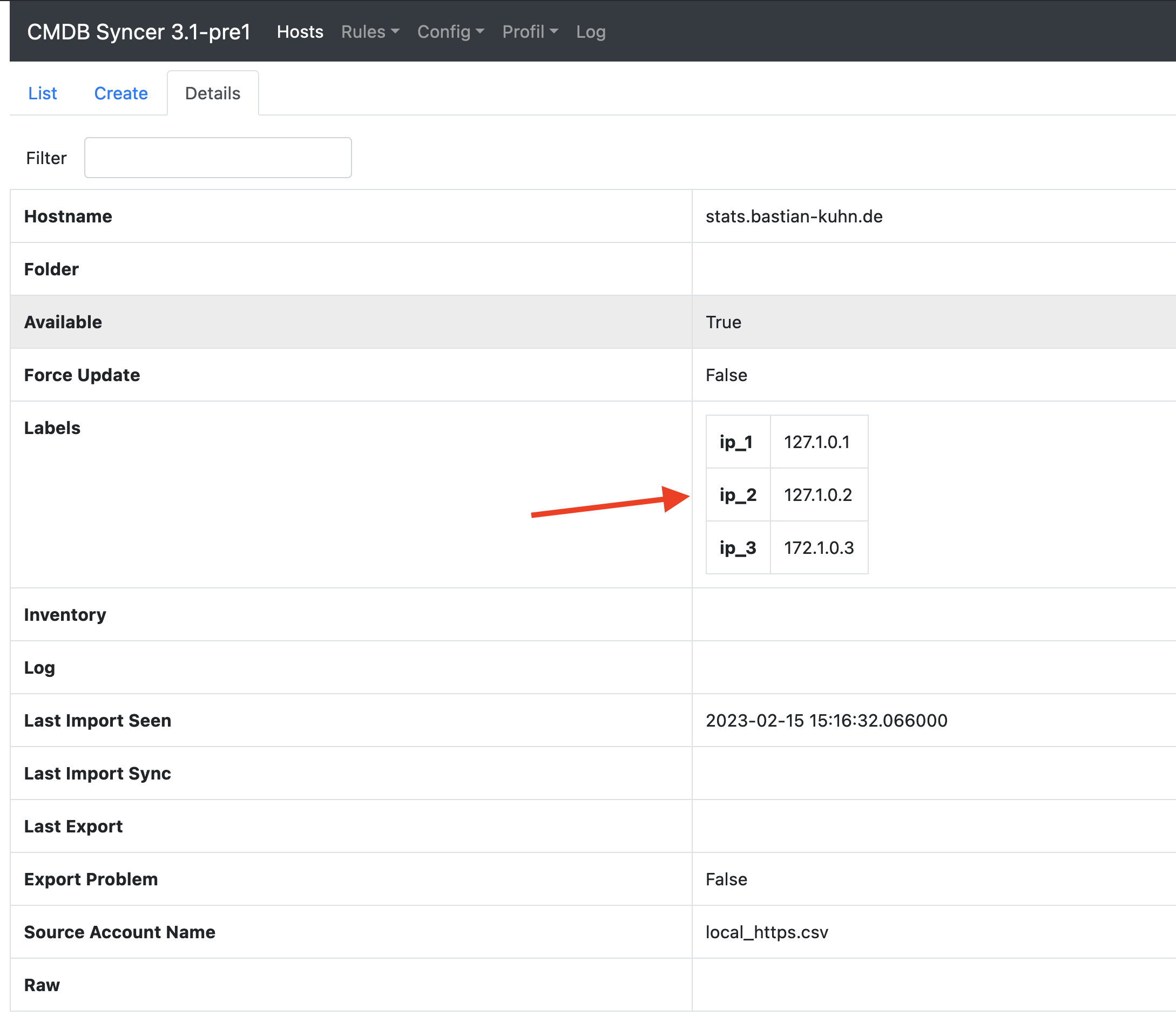
The hosts appear in the Syncer with attributes ip_1, ip_2, ip_3:
Step 2: Find the Rule Parameters
Create the two rule types you want (HTTP check and certificate check) in Checkmk, using {{IP}} as a placeholder wherever the IP address should appear. Then copy their API values as described in Create Checkmk Rules Automatically.
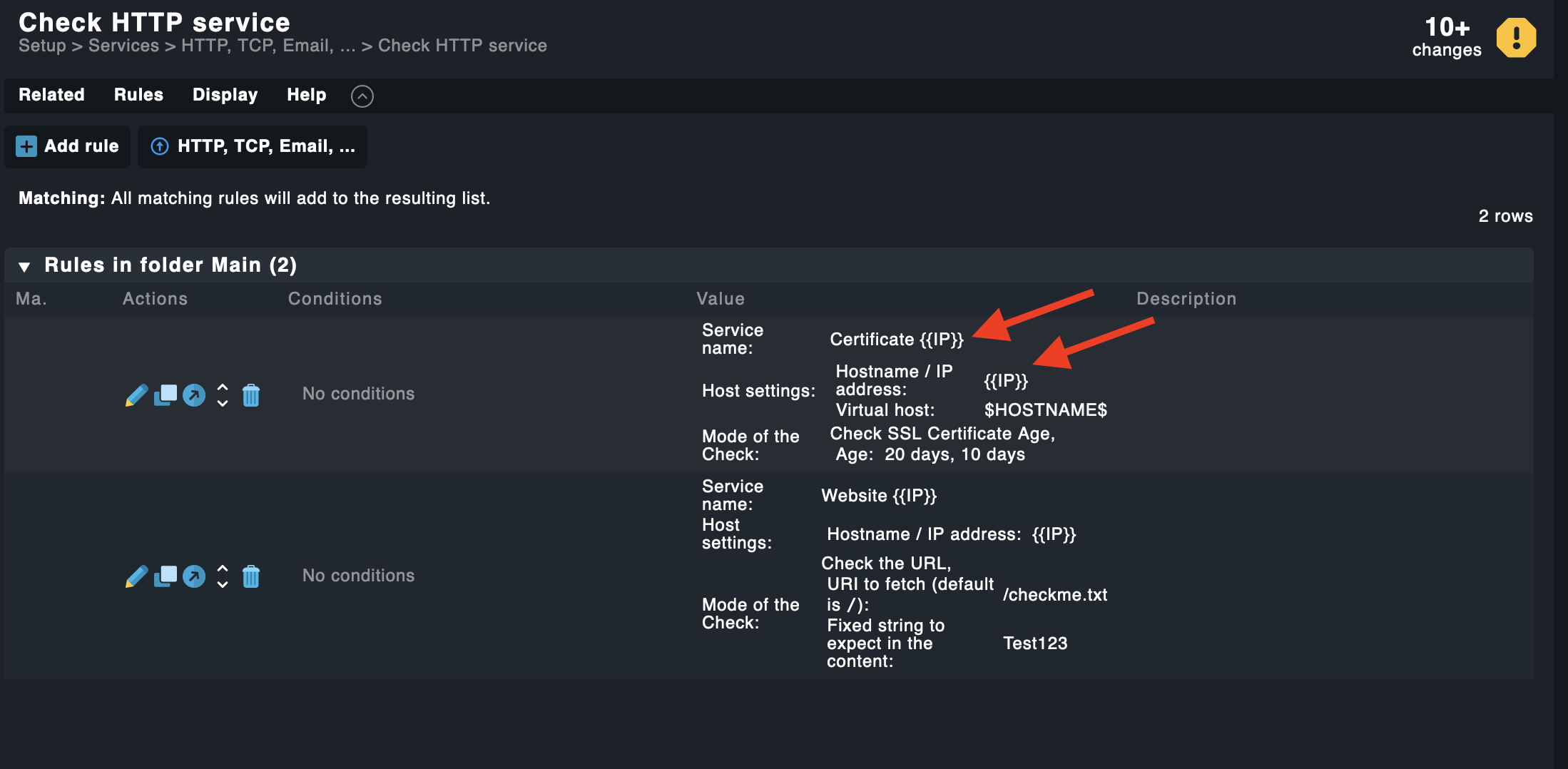
Step 3: Create the Syncer Rules
Go to: Modules → Checkmk → Manage Checkmk Setup Rules
Create one rule per IP column. Each rule needs:
-
Condition: The attribute (e.g.
ip_1) must exist on the host. Set Match Type to attribute, Tag toip_1, and useMatch All (*)as the condition so any value matches.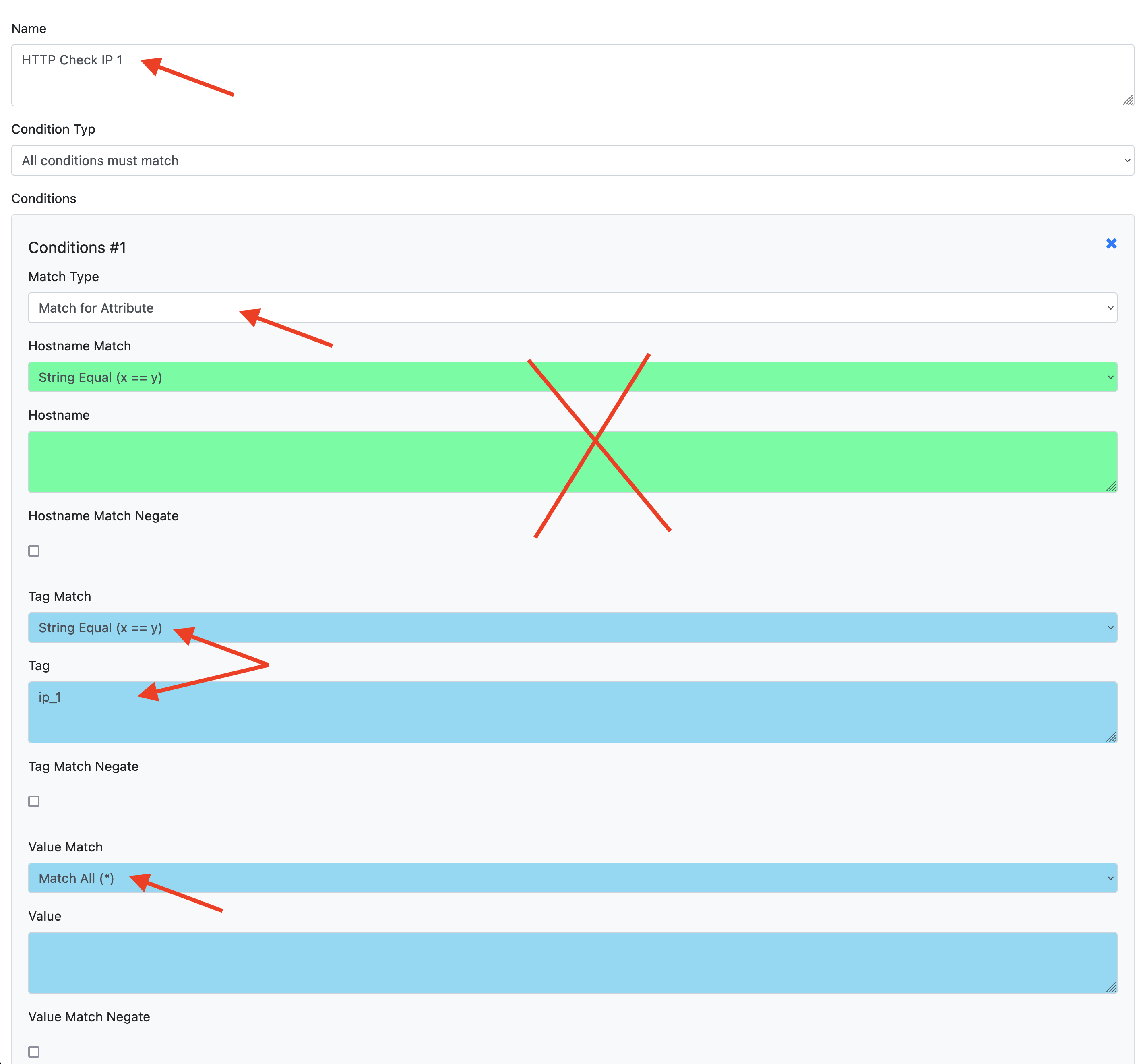
-
Two outcomes: One for the HTTP check, one for the certificate check. Replace
{{IP}}with the actual attribute (ip_1).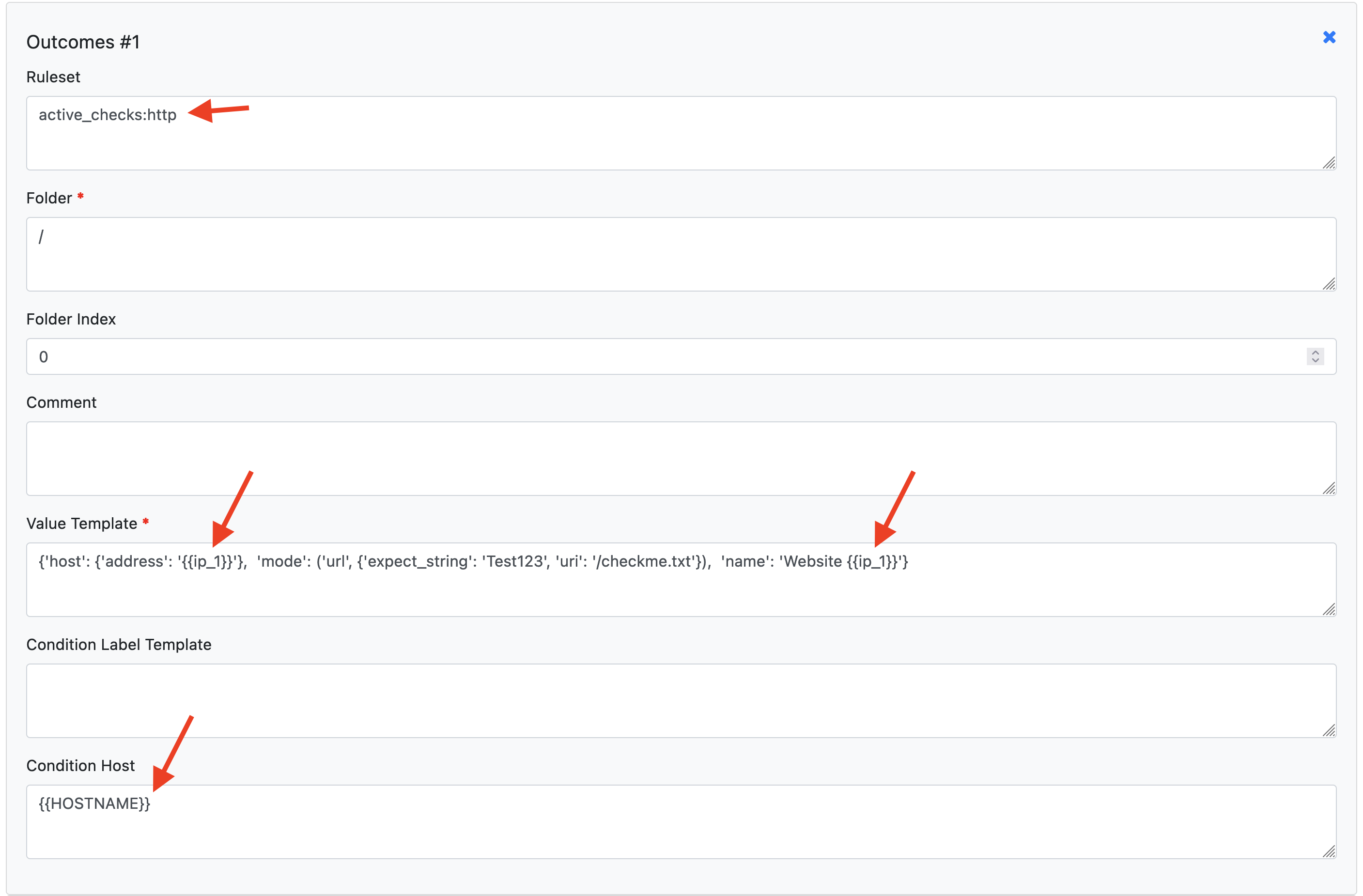
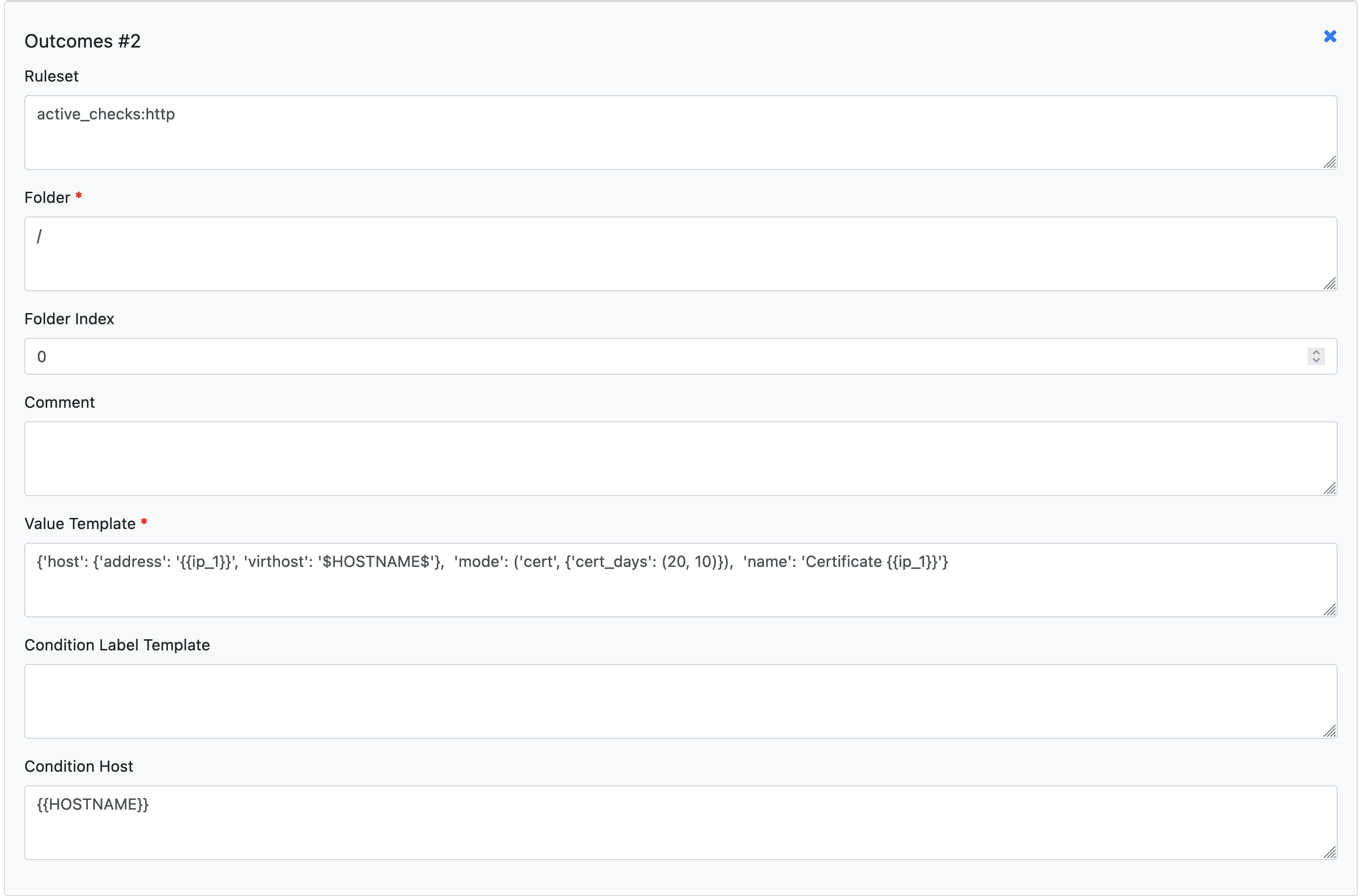
Repeat for ip_2 and ip_3. Enable each rule and save.
Step 4: Sync
Delete the example rules you created in Checkmk. Then run the export:
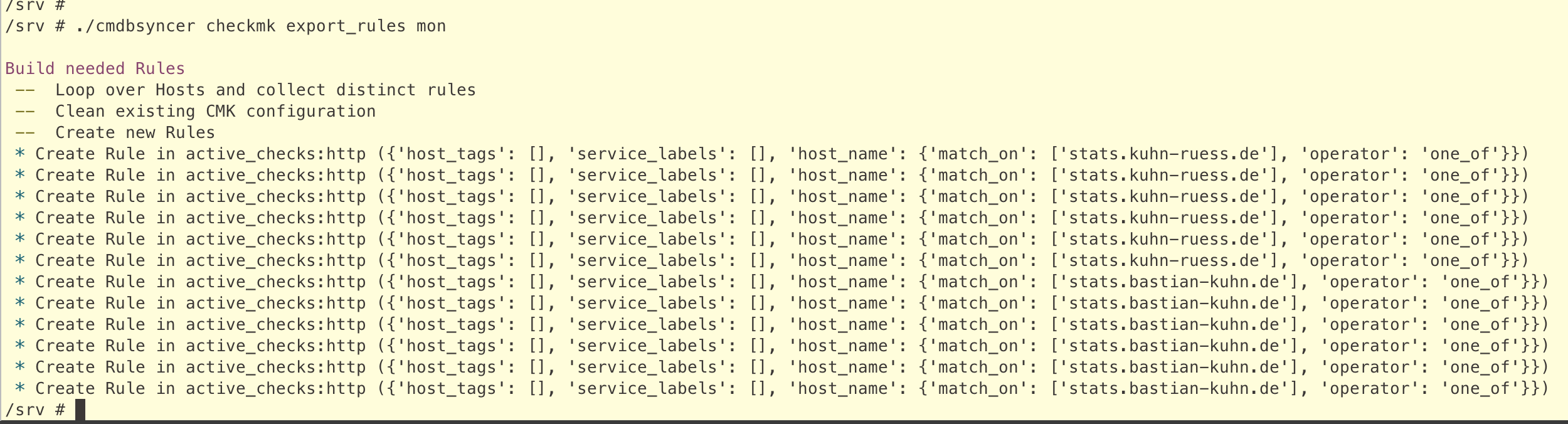
No Checkmk activation is required between the rules export and the host export — you can activate all changes at the end.
Result
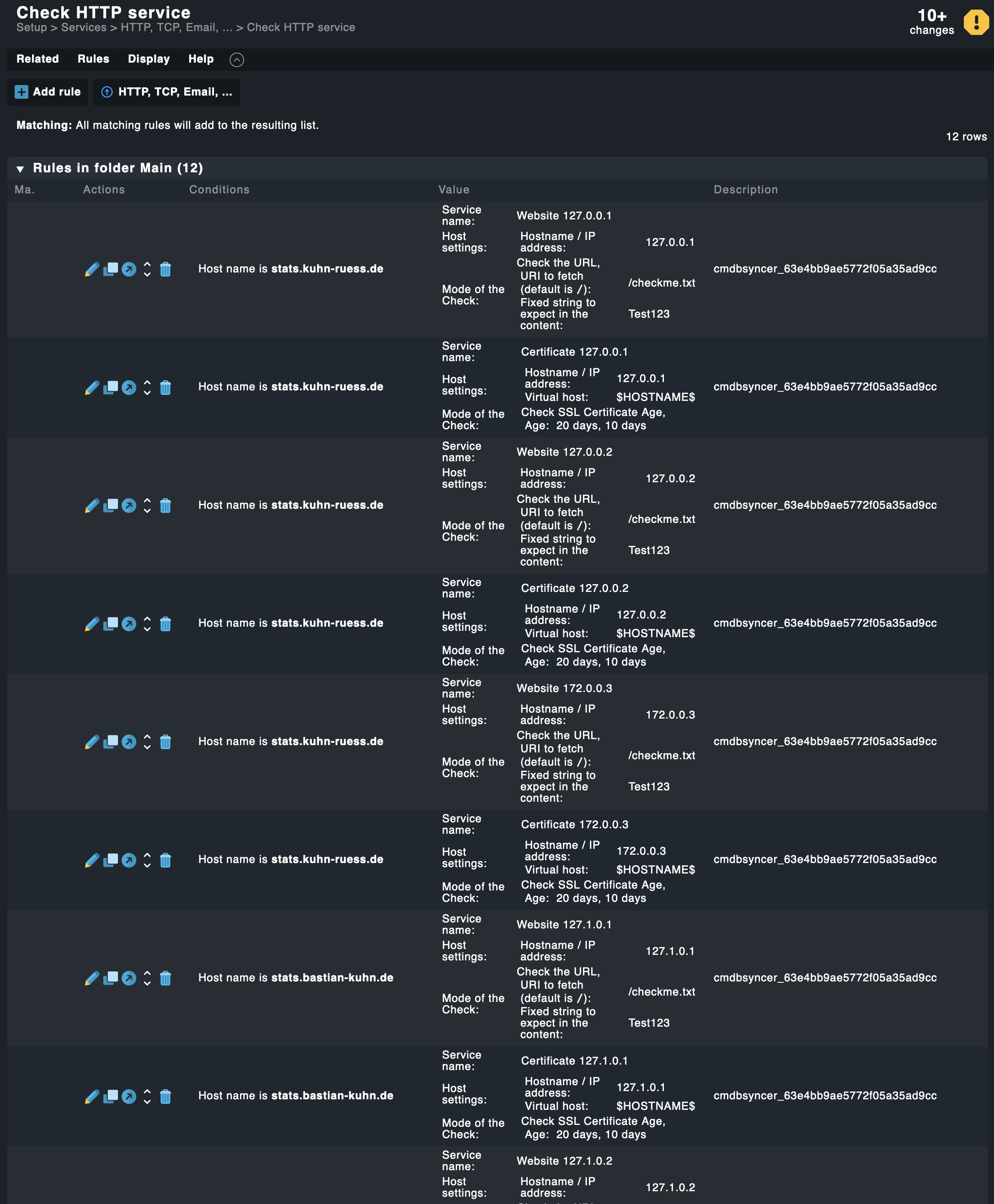
After activation, Checkmk shows the HTTP and certificate checks for each IP: