Create Cluster Hosts
With the Cluster action in Export Rules, the Syncer can create Checkmk cluster hosts instead of normal hosts.
How It Works
Cluster hosts in Checkmk require a list of node hostnames. The Syncer reads these node names from host attributes. You specify which attributes contain the node hostnames directly in the export rule.
The attribute specification supports:
- Exact names —
node_attribute_1, node_attribute_2 - Wildcards —
node_*matches all attributes starting withnode_ - Mixed —
node_primary, node_backup_*
Since cluster nodes must already exist in Checkmk before a cluster can reference them, cluster hosts are always created at the end of the export run.
Apart from cluster-specific behavior, all other Syncer rules apply normally — folder assignment, attribute setting, opt-outs, and labels all work the same as for regular hosts.
Getting Node Attributes
Node information typically comes from your CMDB import. If your source does not provide it directly, you can add it using the CSV module or Custom Attributes.
Example
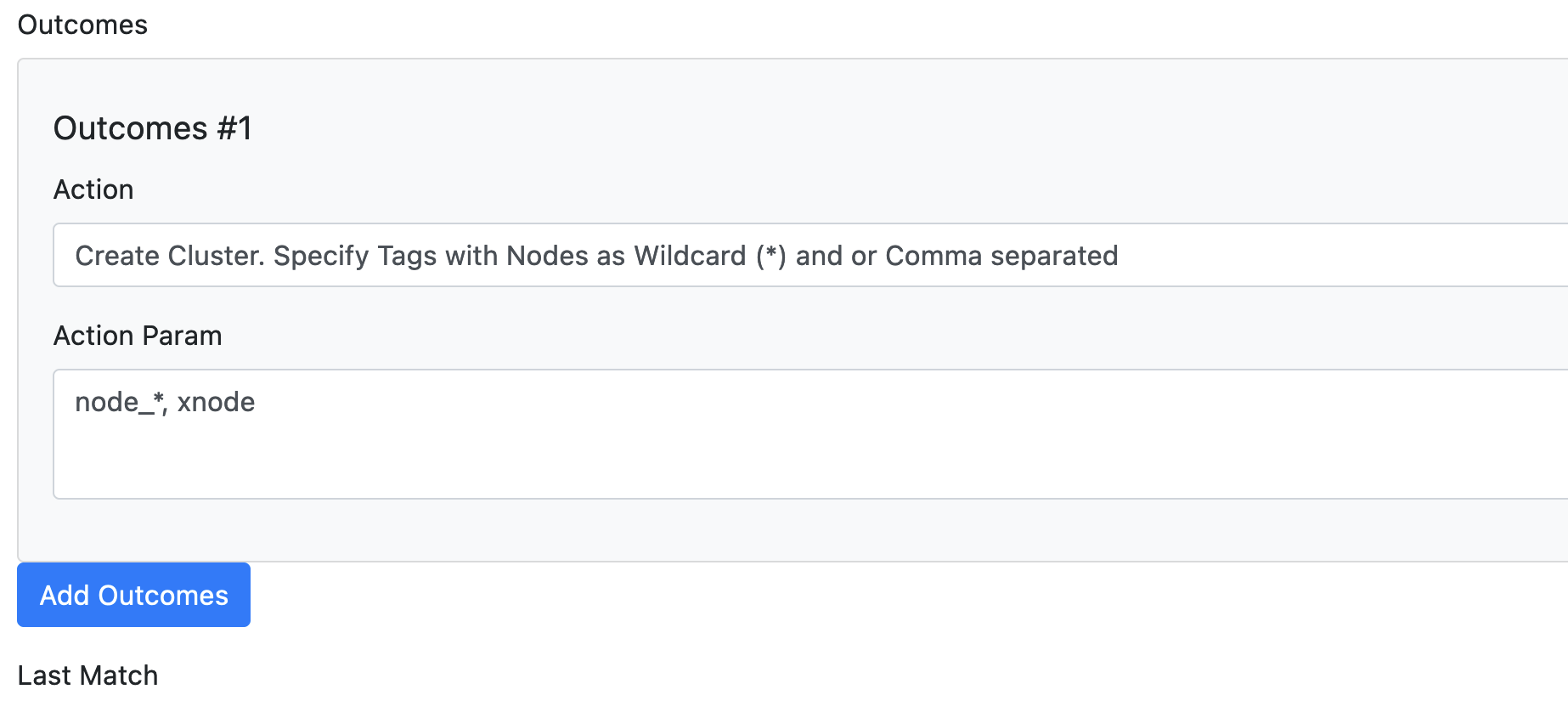
The screenshot below shows an export rule with the Cluster action and multiple node attributes using a wildcard:
No special export command is needed — cluster hosts are included in the regular export_hosts run.